 Booking Handbook
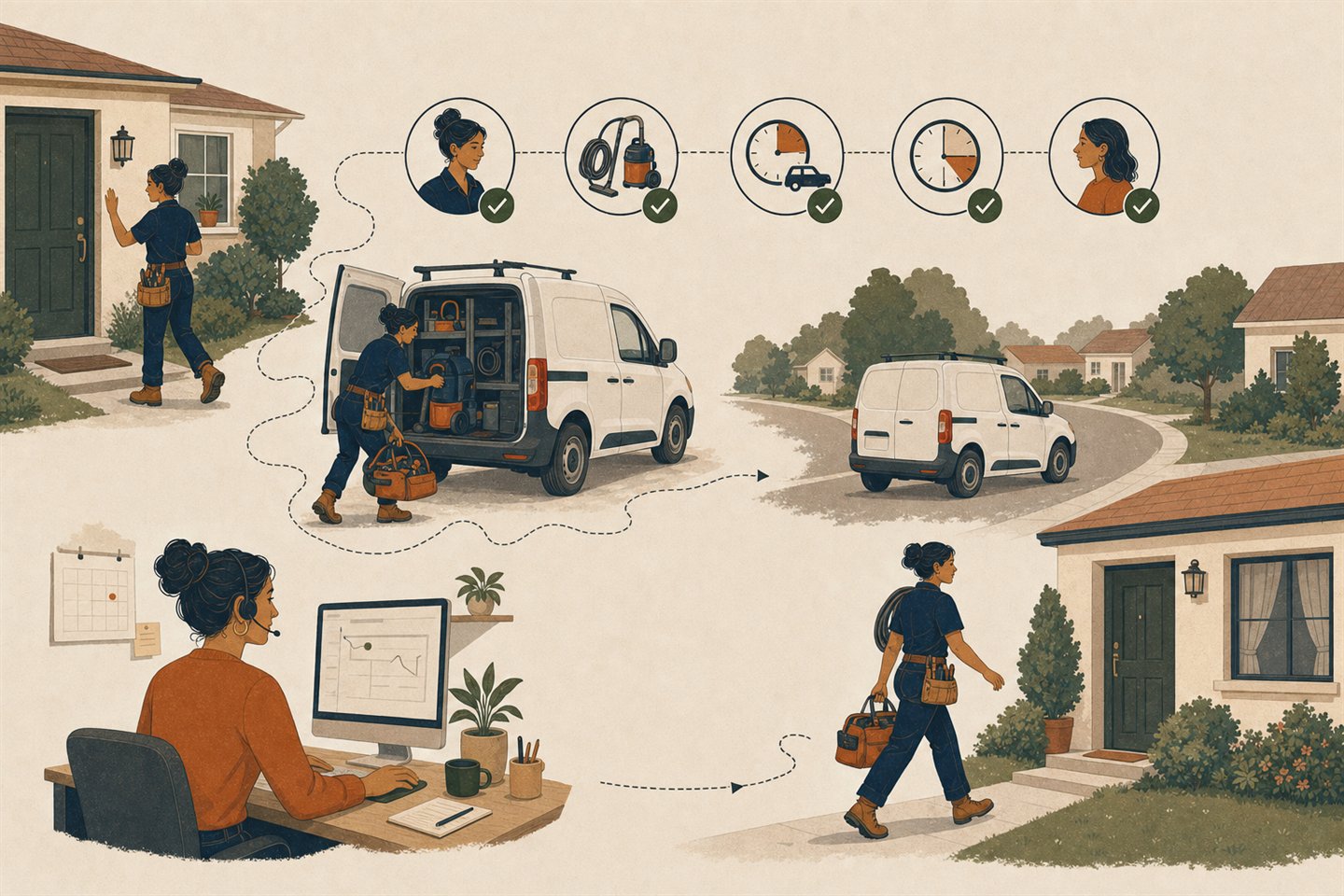
Can this mobile appointment happen?
First checks
- Qualify the address
Capture a usable customer address and resolve inside, boundary, or outside service-area state.
- Qualify the work
Confirm that this service may happen there and that an eligible worker can perform it.
- Protect the whole interval
Include preparation, service duration, cleanup, inbound travel, and outbound travel around adjacent work.
- Recheck the promise
After a material change, recalculate feasibility, price or fee disclosure, and every dependent view.
Which gate stops this invented appointment?
Choose only declared synthetic states. The checker returns feasible, boundary review, blocked, or invalid and names the shared owner of the first unresolved gate.
Review one unresolved boundary
Do not confirm yet: dependent customer and staff views disagree or remain unchecked.
- Reason
- VIEWS_UNRECONCILED
- Check next
- Customer-location reconciliation, then message, calendar, and export delivery
Address and area
inside
The service address must resolve to inside, boundary, or outside.
Service at location
mobile allowed
The chosen service must allow customer-location delivery.
Worker eligibility
eligible
A currently qualified worker must cover the area and schedule.
Full time chain
current fit
Preparation, service, cleanup, inbound travel, and outbound travel must fit.
Fee disclosure
disclosed
The current fee state must be known before confirmation.
Material-change recheck
current
A changed address, service, worker, duration, time, travel, or fee needs a fresh result.
Cross-view state
not checked
Customer, dispatcher, worker, message, calendar, export, and history views must agree.
Override
none
Any override needs an attributable actor and reason.
The checker stores nothing and performs no address lookup, route calculation, booking, assignment, fee calculation, message, calendar write, product test, or compliance review.
Understand the complete feasibility rule
Test one customer-location appointment before comparing software.
A free-looking time is not enough for work at a customer address. The address, service area, service, worker, full travel-and-buffer interval, fee, and every customer and staff view must describe one feasible appointment.
Customer-location work is a conjunction, not a single availability check.
An address may sit outside the service area. A service may be fixed-location only. The available worker may lack the right qualification. Travel can overlap the previous or next job. A fee may remain unknown, or a changed address may leave old confirmations active.
The combined feasibility rule
Feasible mobile appointment = valid address + eligible service area + service allowed at that location + eligible worker + current full time chain + disclosed fee state + material-change recheck + reconciled views
The invented worksheet below uses non-geographic address tokens, two workers, fixed travel values, and made-up appointments. It identifies the first unresolved gate; it never geocodes, routes, books, charges, messages, or tests a named product.
Follow the complete customer-location workflow
- Capture one service address
Keep the service address distinct from billing, contact, branch, and worker-origin addresses. Reject missing or malformed input before promising availability.
- Resolve the service-area result
Use the shared service-area owner to return inside, boundary-review, or outside. Do not silently turn a boundary case into eligible.
- Match service and worker
Confirm that the chosen service is deliverable at the customer location and that at least one currently eligible worker covers the area and time.
- Protect the consumed interval
Use the shared duration, buffer, and travel owners to protect preparation, service, cleanup, inbound travel, and outbound travel around adjacent work.
- Disclose the current fee state
Show no fee, a known disclosed fee, or an unresolved fee before confirmation. A changed location must not retain an obsolete promise.
- Change, recheck, and reconcile
Re-run every affected gate after address, service, worker, duration, time, travel, fee, or schedule changes, then compare customer, dispatcher, worker, message, calendar, and export views.
Compare the four honest outcomes
Feasible
Every required input is current and the customer, dispatcher, and worker views agree.
Watch for
This permits only the next controlled step; it is not proof that a real product or route will work.
Boundary review
A boundary address, missing or stale travel value, unresolved fee, unreconciled view, or material change needs a human decision or recalculation.
Watch for
Do not offer or confirm the time while an essential input is unknown.
Blocked
The address is outside, service is fixed-location only, no worker qualifies, the time chain overlaps, or an override is unattributed.
Watch for
Return a clear reason and safe alternative instead of exposing an impossible slot.
Invalid
A required synthetic input is missing or unsupported.
Watch for
Repair the input before interpreting any downstream result.
Review the eight connected records
Service address
Owns the normalized customer-location input and explicit validation state.
Failure to test
A billing or contact address is mistaken for the place where work will happen.
Service-area result
References the current inside, boundary, or outside decision from the shared area rules.
Failure to test
A ZIP prefix or map picture becomes an unexplained universal approval.
Service-at-location rule
States which service and delivery mode may happen at the selected location.
Failure to test
A fixed-location service appears for customer-address booking.
Worker eligibility
References the current worker, qualification, zone, origin, schedule, and assignment state.
Failure to test
An available person is assigned without the required service or area eligibility.
Consumed interval
Owns preparation, duration, cleanup, inbound travel, and outbound travel around adjacent work.
Failure to test
Only the visible service minutes are blocked.
Fee state
Keeps no fee, a disclosed current fee, or an unresolved fee attached to this appointment version.
Failure to test
The customer and staff see different or stale travel charges.
Change history
Preserves actor, channel, old state, new state, reason, and the recheck result for every material edit.
Failure to test
A dispatcher override or mobile edit silently changes the promise.
View reconciliation
Connects customer, dispatcher, worker, message, calendar, export, and history views to the same appointment state.
Failure to test
One screen looks correct while another still sends or displays the old visit.
Inspect the complete invented mobile-service day
All names, addresses, travel values, fees, and appointments below are invented and stay inside this page.
Address
No geocoding
ADDRESS-IN, ADDRESS-BOUNDARY, and ADDRESS-OUT are invented non-geographic tokens.
Service
Delivery rule explicit
SERVICE-MOBILE-60 may occur at a customer location; SERVICE-FIXED-90 may not.
Workers
Eligibility separated
WORKER-A and WORKER-B have different synthetic zones, qualifications, origins, and adjacent appointments.
Time chain
Both sides protected
Use fixed 0, 15, 30, or impossible travel values plus 15-minute before and after buffers.
Fee
Disclosure state only
Compare no fee, one disclosed flat fee, and one unresolved fee without calculating money.
Change
No external write
Change address, worker, duration, time, travel, and fee; preserve the old result and require a fresh one.
Review appointment changes and demo warning signs
When the mobile appointment changes
The address changes
Re-run area and travel
Preserve the old address state, then recheck area, worker coverage, route values, fee state, and customer promise.
The service changes
Re-run delivery eligibility
Confirm customer-location eligibility, worker qualification, duration, buffers, travel, fee, and instructions for the new service.
The worker changes
Re-run both route legs
Use the new worker's zone, qualification, origin, adjacent appointments, travel values, and mobile assignment state.
The duration or time changes
Rebuild the full interval
Protect preparation, service, cleanup, inbound travel, and outbound travel before offering the replacement.
Travel or fee changes
Withdraw stale promises
Mark the previous result stale, disclose the new known state, and obtain review when travel or fee remains unresolved.
A dispatcher or worker overrides
Attribute and reconcile
Record actor, reason, old and new states, then compare every customer, dispatcher, worker, message, calendar, export, and history view.
Warning signs in a software demo
Address is just a notes field
The demo cannot distinguish service address, validation state, service-area result, or the appointment version it belongs to.
Any worker can take the job
Area, qualification, origin, delivery mode, and schedule do not participate in assignment.
Travel is display-only
A map or route estimate appears after scheduling but never protects availability before confirmation.
Only inbound travel is checked
The visit fits after the previous job but makes the next appointment impossible.
A change keeps the old promise
Address, worker, duration, time, travel, or fee changes do not force a full recheck and fresh confirmation state.
One view silently wins
Customer, dispatcher, worker, message, calendar, export, or history views disagree without a visible reason and recovery path.
Prepare the next controlled rehearsal
One controlled mobile-service rehearsalTest the combined gate before testing products.
Use the invented address, service, worker, interval, fee, and change states to define what software must prove.
- Write the owner and allowed states for the service address, area result, service-at-location rule, worker eligibility, full consumed interval, fee, change history, and reconciled views.
- Run inside, boundary, outside, fixed-only, no-worker, travel-overlap, stale-travel, unresolved-fee, changed-without-recheck, and view-mismatch cases.
- Carry the same fixture into every later product test and record pass, boundary, blocked, invalid, workaround, unknown, plan, version, date, and limitation without forcing a winner.
Keep the rehearsal controlled
- Use invented address tokens, people, services, appointments, travel values, fees, messages, calendars, exports, and records only.
- Do not enter a real customer, address, worker, route, payment, account, message, calendar, tax, safety, insurance, license, or regulated record.
- Do not convert a documentation note or checker result into live availability, arrival accuracy, product capability, recommendation, affiliate route, purchase, implementation, or publication approval.