 Booking Handbook
Schedule staff across locations.
First checks
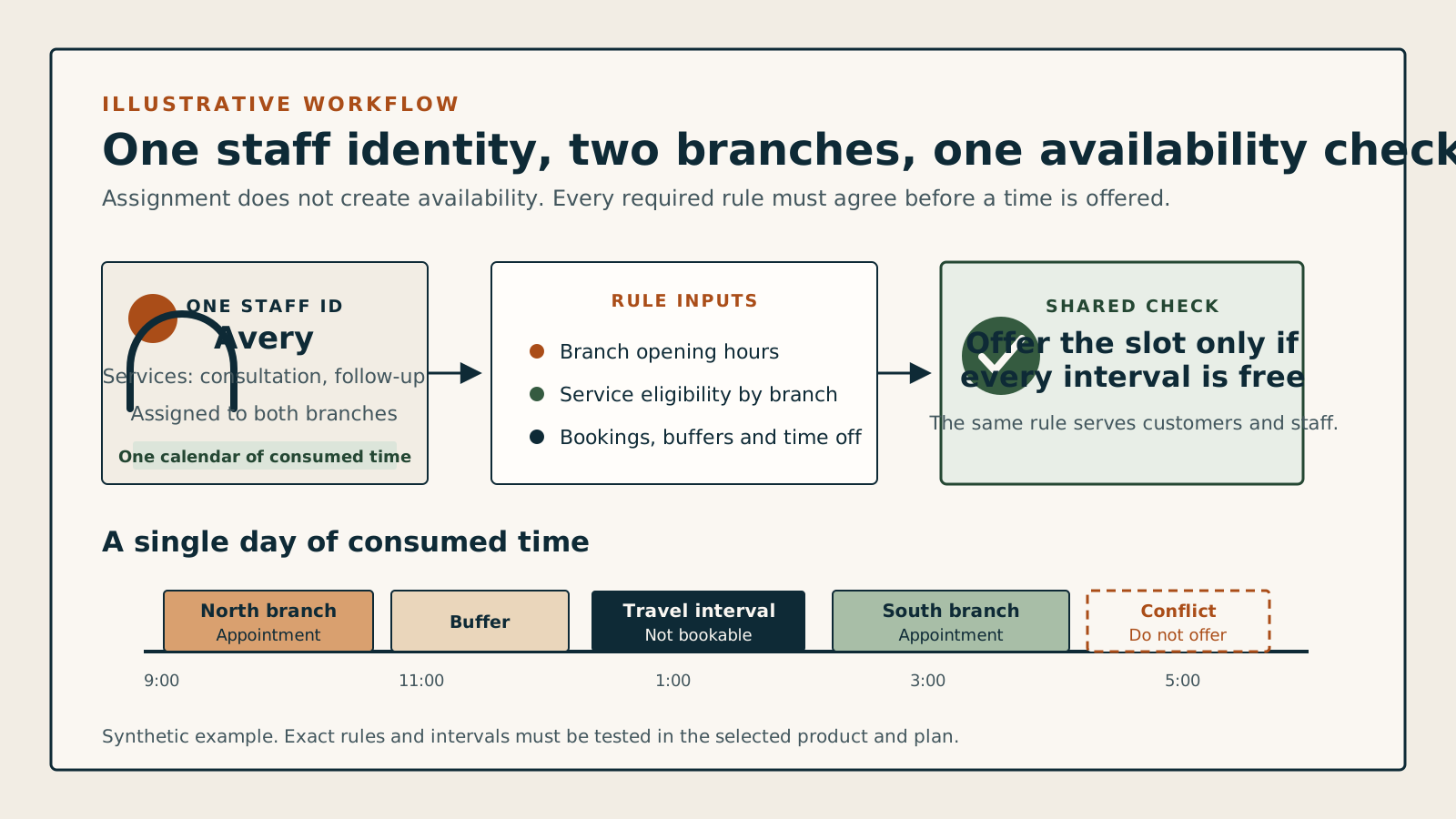
- One employee record
Do not create a separate copy of the same person for each branch.
- Rules by location
Hours and available services may differ from one branch to another.
- Transition time
Cleanup, travel, and preparation consume real availability.
- One conflict check
Customer, staff, and administrator bookings follow the same rules.
Can the employee reach the next appointment?
Enter the end of one appointment, the proposed next start, and the time needed between them. The result shows whether the gap is large enough.
These appointments fit
The transition fits with 0 minutes remaining after the required gap.
- Time available
- 60 min
- Time required
- 60 min
- Spare time
- 0 min
This is a same-day planning check. It uses the travel minutes you enter and does not estimate traffic, parking, access delays, routes, or legal break requirements.
A free calendar can still offer an impossible appointment.
Suppose Jordan finishes an appointment Downtown at noon. The next branch looks free at 12:30, but Jordan needs time to finish the first visit, travel, and prepare. If the system checks only for an overlapping appointment, it can offer a time nobody can physically reach.
12:00 finish + 10 minutes cleanup + 40 minutes travel + 10 minutes preparation
Earliest feasible Uptown start: 1:00 p.m.
Review all six multi-location rules
When the same person works at two or more branches, an empty calendar does not automatically mean they can accept another appointment. Their location hours, services, existing bookings, preparation, cleanup, and travel time must all agree.
Prevent one employee's calendar from creating impossible appointments across branches.
- Keep one employee identity
Assign the same staff record to every branch so a booking at one location blocks that person everywhere else.
- Set working hours by location
Record when the employee is actually present at each branch instead of copying one weekly schedule to every location.
- Match services to each branch
A person may offer a service Downtown but not Uptown because the room, equipment, price, or business rule differs.
- Block the whole transition
Cleanup after the first appointment, travel between branches, and preparation before the next one all consume time.
- Use one conflict check everywhere
Customer pages, staff tools, administrator bookings, imports, and rescheduling should reject the same impossible slot.
- Check required rooms and equipment
The employee can be free while a required room or device is occupied. The booking is valid only when every required part is available.
Handle changes after the booking
An appointment can become impossible after it is created. Moving the time, branch, service, employee, or operating hours should trigger the same availability decision again.
Create
Check the complete slotConfirm employee, branch hours, service, resources, transition time, and policy before saving the appointment.
Reschedule
Test the proposed time firstKeep the original booking until the new time and location pass every rule, then update messages and calendars.
Change location
Treat it as a new availability decisionRecheck branch hours, service eligibility, resources, travel time, time zone, and customer instructions.
Change service or employee
Recheck what the appointment consumesA different service length, provider, room, or device can invalidate the old time even when the start stays unchanged.
Cancel
Release only this booking's holdsFree its employee, room, and transition time without disturbing another valid appointment at either branch.
Change branch hours
Review affected future appointmentsDo not silently hide, move, or delete bookings that no longer fit the updated opening or staff hours.
Watch for these software-demo red flags
A multi-location checkbox proves very little. Create a conflict, change its branch, and inspect the customer message, staff calendar, and availability afterward.
The employee is copied by location
Each copy can appear free, allowing the same person to be booked twice at different branches.
Travel is only a note
The confirmation mentions travel, but the time is not blocked from customer or staff availability.
The administrator can bypass conflicts
The public page rejects an impossible appointment, while a staff-created booking saves it without a clear warning.
Every service appears at every branch
The system cannot restrict a service by the employee, location, room, or equipment that makes it possible.
Moving a booking leaves stale details
The appointment changes branch, but its calendar event, customer message, resource hold, or travel block still shows the old state.
Use one employee, two branches, and one difficult transition.
A feature list cannot prove multi-location scheduling. Give every product the same ordinary day, then change the booking while you watch what happens.
- Write one employee's real hours and services at two fixed branches.
- Choose two appointments whose cleanup, travel, and preparation leave little spare time.
- Create and move the conflict through both the customer page and the staff or administrator path.