 Booking Handbook
Integrations and data flow
Keep calendars, websites, payments, notifications, automation, and exports consistent when data crosses system boundaries.
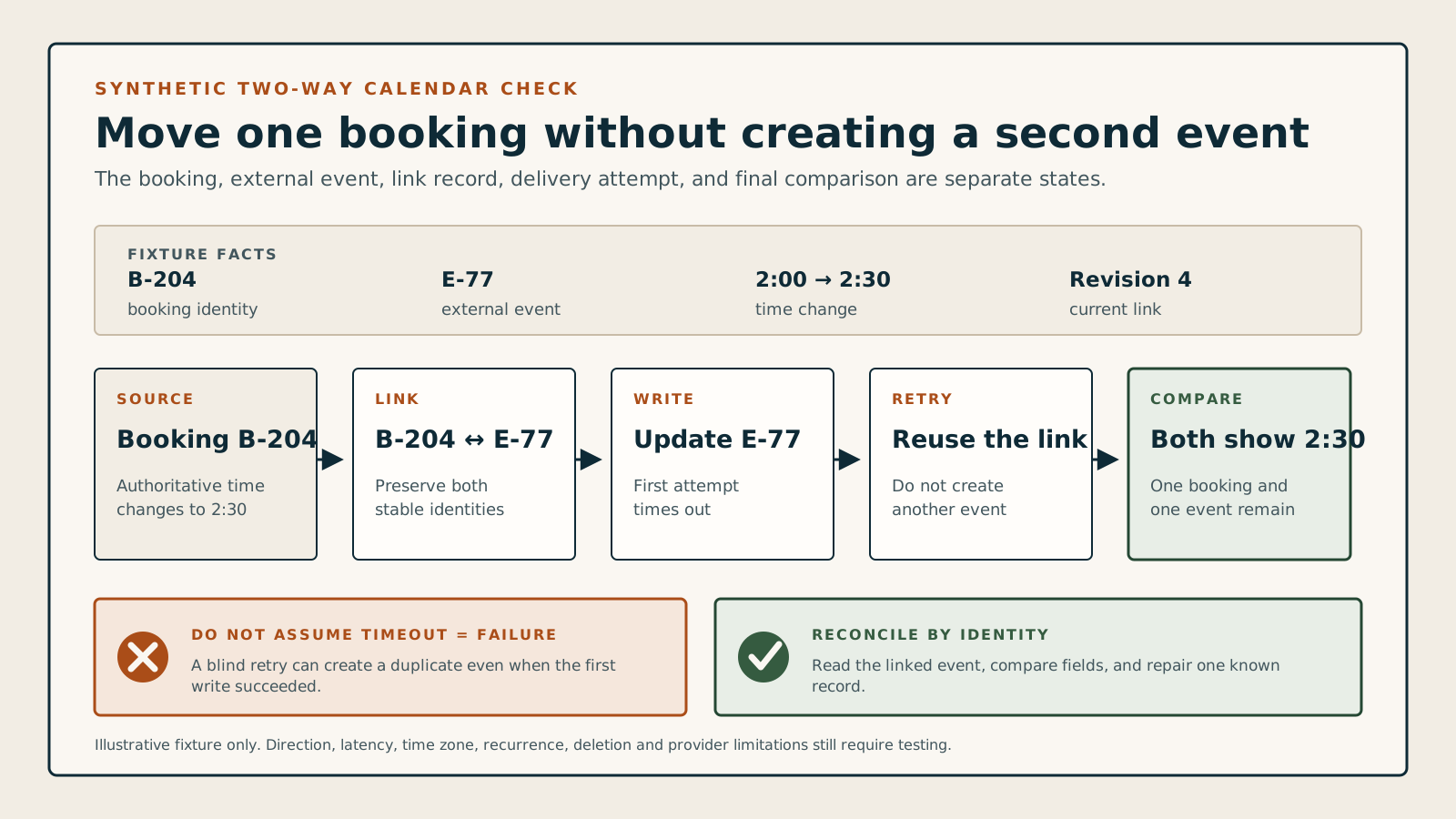
Open a detailed guide
Choose the task that matches what you need to decide or fix now.
Start with these five checks
- Direction and source of truth
- Stable identifiers
- Latency and retry behavior
- Disconnect/reconnect recovery
- Complete export and ownership
Four connected areas
Use these four areas to see which part of the booking setup needs attention.
Calendar and video synchronization
Separate one-way display from two-way conflict blocking, then test edits, cancels, latency, reconnects, zones, and meeting links.
Which system owns availability after a disconnect?
Websites, WordPress and embedding
Compare hosted pages, widgets, iframes, blocks, shortcodes, APIs, themes, caches, accessibility, and error recovery.
Can customers still complete the task on the actual site?
Payments, commerce and POS
Map gateways, geography, POS, taxes, tips, discounts, refunds, webhooks, retries, and duplicate-payment protection.
Do online and staff-side money records reconcile?
Notifications, automation and data
Define templates, timing, deliverability, APIs, webhooks, retries, logs, import/export, identifiers, backups, and ownership.
Can the business recover the complete record when automation fails?